

Full-stack template.
Full-stack template
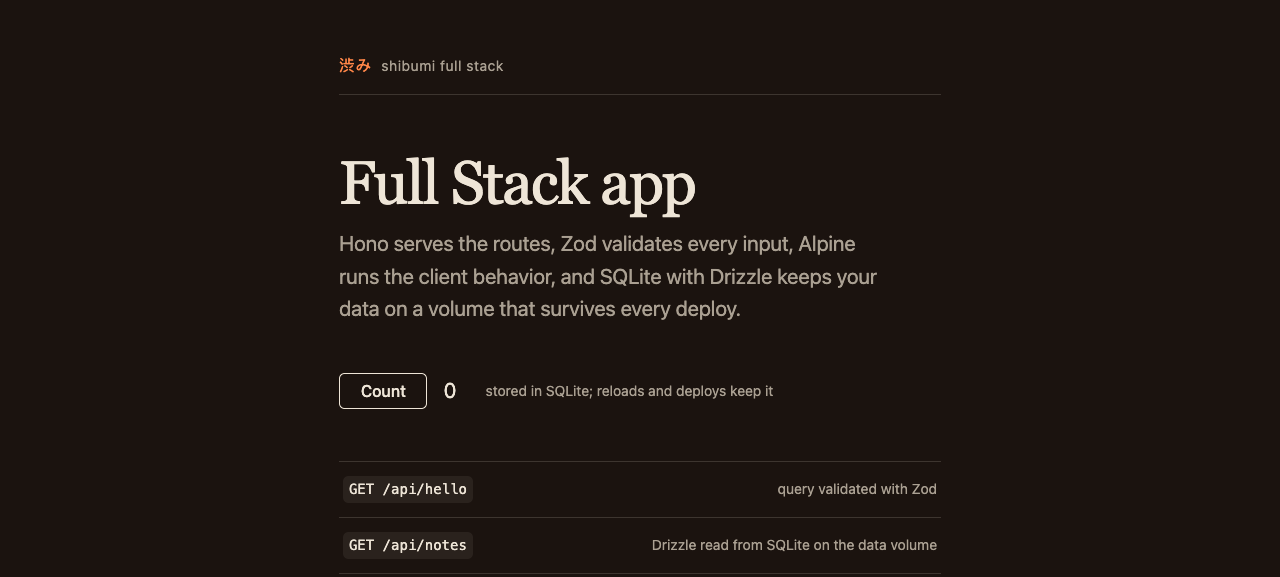
The recommended starting point, and the only template with a database. Each library does one job, and the database file sits on a volume outside the image, so deploys and rollbacks swap the code and leave the data alone.
bun create shibumi@latest my-app --template full-stack
What lands in your repo#
- Hono routes in
src/, with a demo page and two API endpoints - Drizzle schema and migrations; the scaffold ships a persisted counter so you can watch data survive a redeploy
- SQLite backup and restore scripts
- Tests, a health endpoint,
Dockerfile,compose.yaml, the deploy script, and anagents.mdwith house rules for your coding agent
Try it locally#
cd my-app
bun dev
Click the counter and reload: it stores its value in SQLite rather than browser state. Before shipping, run bun test, bun run check and bun run build.
Extensions#
Feature source installs into the repo with bun shi add: auth, email, uploads, admin. Each one copies readable .ts files, migrations where needed, tests, and its own agents/<name>.md.
Auth and uploads add APIs, not ready-made login or upload pages. After running bun ship:setup, set APP_ORIGIN to the public HTTPS origin before deploying auth:
bun ship:env set APP_ORIGIN=https://app.example.com
The canonical origin lets CSRF checks accept browser forms behind the server's TLS proxy; changing server environment values takes effect on the next deployment.
Ship it#
Commit your source and run bun ship:setup from the project root. It detects the Compose service (app) and health path (/healthz) and registers them over SSH. If you register manually with shis add, supply matching --service app --health-path /healthz settings rather than relying on the server CLI's defaults.
Then bun ship deploys the exact committed code to your VPS or homelab. Check /healthz, increment the counter, redeploy and confirm the value survives. bun ship --rollback restores the retained previous image while keeping the data volume.
Image rollback does not undo a database migration. Keep schema changes backward-compatible, and use the explicit backup/restore commands for data recovery.